

What´s inside the Ultimate Preset Bundle?


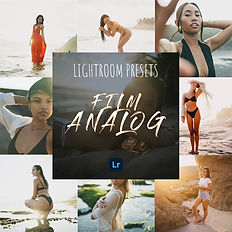

Bundle contents
-
21 Lightroom Presets (XMP)
-
21 Mobile Presets (DNG)
-
5x Black & White, 5x Golden Glow, 5x Film Analog, 5x Beauty Blue Hour
-
+1 unique MH Content Preset (XMP + DNG)
Best Value
SAVE 75%
with the Ultimate Bundle (€9.99) vs buying packs separately (€39.99). Everything you need for fast, consistent edits — built from real shoots.
-
Includes: Golden Glow, 35mm Film, Black & White, Beauty Blue Hour Presets
-
Mobile & Desktop (XMP + DNG) — quick install
-
Instant download after checkout

Shop More Presets


See the Looks in One Swipe
Why these Presets Work

ONE-CLICK, PRO LOOKS
Built for fast, consistent results across devices.

INSTANT
DOWNLOAD
Right after checkout via download link

CREATOR TESTED
Used on weddings, travel, model portfolios, brand shoots

MOBILE & DESKTOP
Works with Lightroom Mobile & Classic. XMP + DNG included for quick install
Convince yourself


FAQ
Do they work on a phone?
Yes — works with the free Lightroom Mobile app. DNG presets are included for easy import on iOS/Android.
How do I install (Desktop)?
-
Open Adobe Lightroom Classic on your computer.
-
Go to the Develop module (top right).
-
Import the presets:
-
In the left sidebar, find the Presets panel.
-
Click the + icon at the top of that panel.
-
Select Import Presets… from the dropdown.
-
-
Choose the .XMP files you downloaded (extract the ZIP first if needed), then click Import.
-
Your presets will appear in the Presets panel. Click any preset to apply it to your photo.
How do I install (iOS/Android)?
Download → extract ZIP → Lightroom Mobile → Add Photos → import DNGs → open a DNG → Create Preset → use on your photos.
Refunds & support?
Digital products can’t be refunded once downloaded, but if you have issues I’ll help you fix install problems or replace files. Reach me at m.haas@mh-content.com
What´s included in each pack?
Each pack contains multiple handcrafted presets (XMP + DNG). The Ultimate Bundle includes all packs. See each product page for the exact count.
Can I adjust the intensity?
Yes. Use Lightroom’s Preset Amount slider (or tweak basics like Exposure, WB, Contrast) to dial the look in seconds.
Compatibility
Lightroom Mobile, Lightroom Classic, and Adobe Camera Raw (ACR). Works with RAW and JPEG.
